
Link tracking on the list
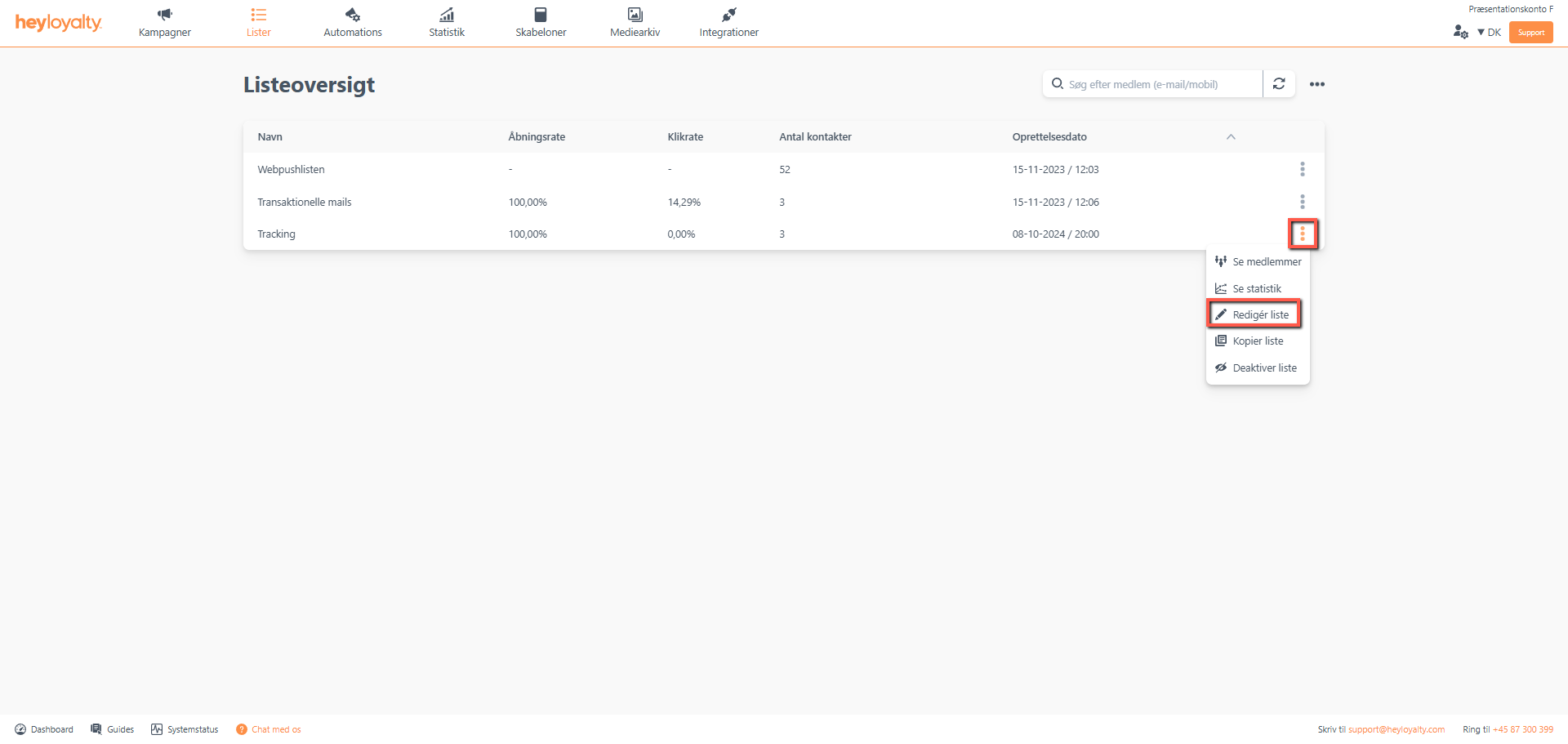
Click Lists –> ⁝ –> Edit list –> Link tracking
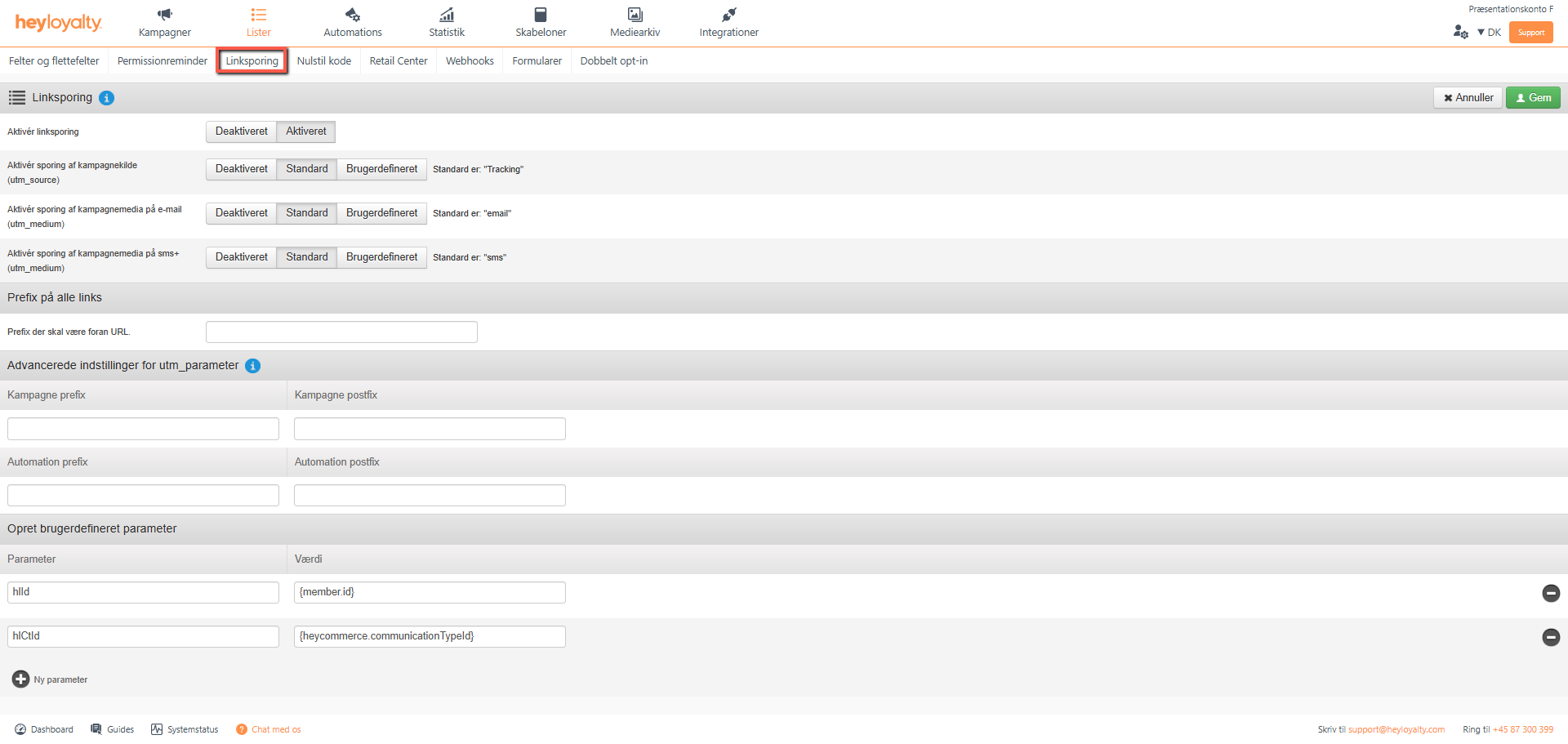
Here you can define your link tracking, which often appears as UTM parameters in your web analytics tool. By default, utm_source is set to be your list’s name, utm_medium is Email and SMS for emails and SMS respectively. Campaign prefix and Automation prefix are parameters that can be merged into the start of link tracking when a user clicks on a link in your campaigns and automations. Postfix is the same, but it’s just at the end of the link instead of at the beginning. By inserting automation_ as an Automation prefix, you can distinguish between clicks in automations and campaigns when you look in your web analytics tool, because all clicks from automations will have the automation_ identifier first. This breakdown is useful if you want to compare revenue from campaigns with revenue from automations.
Once you’re happy with your link tracking, click Save.

Hvis du mangler information eller hjælp, som du ikke finder her på guide sitet, er du altid velkommen til at kontakte vores support!
support@heyloyalty.com / tlf. 87 300 399


Leave a Reply