
Implementation of Tracking
Set up Tracking by clicking on Integrations –> List Integrations –> Tracking –> Setup Integration –> Create new Tracking
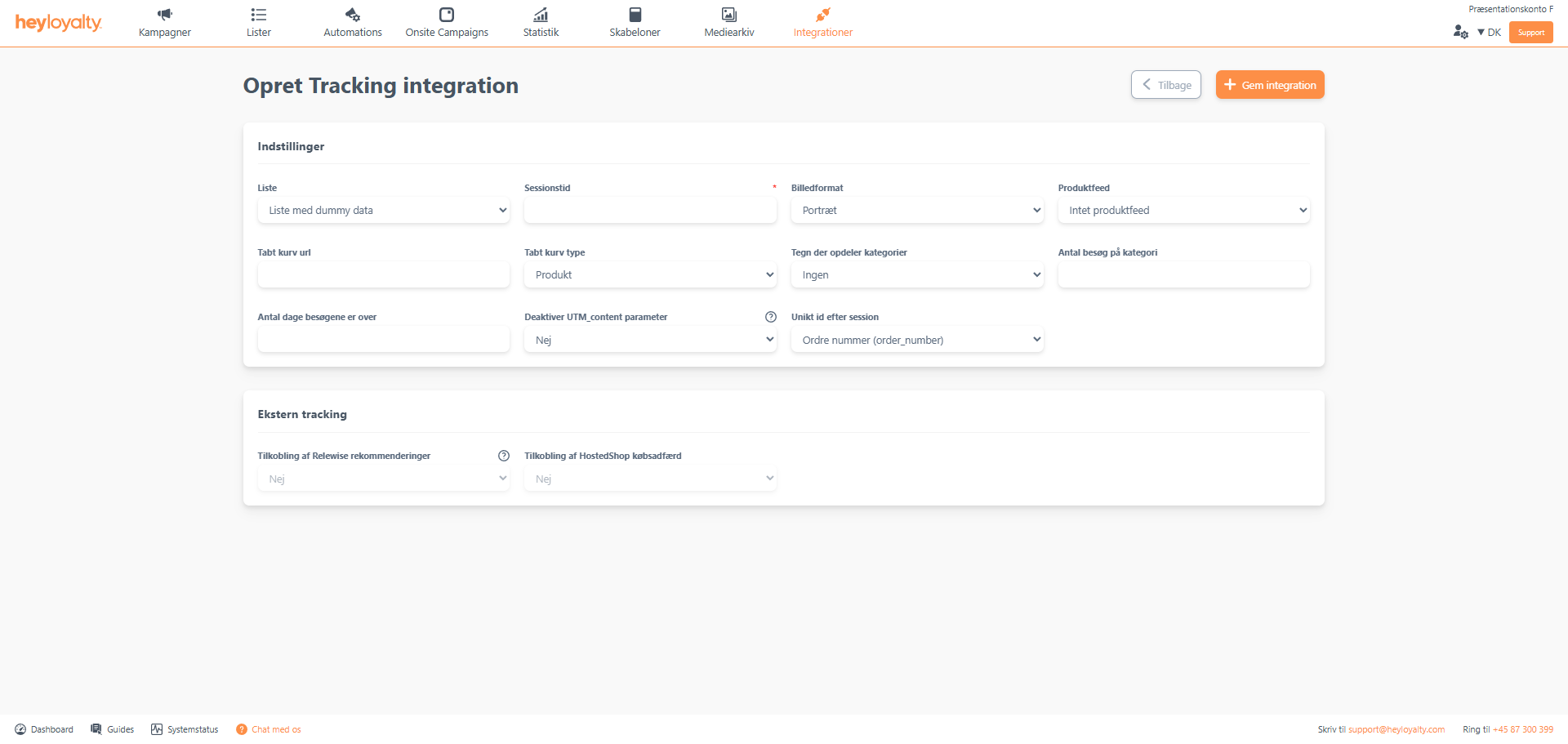
Fill in the fields.
Session time should be a number, and it should be the same as in your script. Typically, we recommend 45 minutes, so if you follow that recommendation, you should write 45 in that field. Also, select a product feed to associate the integration.
In the vast majority of cases, the image format will be portrait. If in doubt, leave it on portrait.
Make sure that you link a product feed.
Abandoned cart url and Abandoned cart type refers to your abandoned cart trigger. Abandoned cart url will often be something like www.dinwebshop.dk/kurv or www.webshop.dk/basket.
Characters that divide categories refer to your product feed. If you have selected a Google Shopping Feed, select > (Google product category). Make sure to match this input with your product feed.
The number of visits of category and the number of days visits exceed over are important to consider, as they have an impact on when a category interest will trigger. A rule of thumb – which can be more or less good depending on your guests’ typical buying patterns and frequencies – is to set number of visits of category to three and the number of days visits exceed can be seven
Disable UTM_content parameter you should leave this on No.
Unique id by session should be left on Order number (order_number) – unless you are completely sure it should be changed.
Implementing the Tracking script
This is a task for an IT manager and/or a developer.
Read about the implementatio here

Hvis du mangler information eller hjælp, som du ikke finder her på guide sitet, er du altid velkommen til at kontakte vores support!
support@heyloyalty.com / tlf. 87 300 399


Leave a Reply