
Birthday flow

Contents

    Birthday flow: What is it and what does it take?

    A birthday flow can be setup in your Heyloyalty account regardless of license type. It’s part of our standard suite of behavioral triggers for your automations.

    With a birthday flow, it’s obvious to congratulate the guests and give them some kind of gift or some inspiration for what they might want (which you “accidentally” (😉) sell, of course).

    Setup of Birthday flow

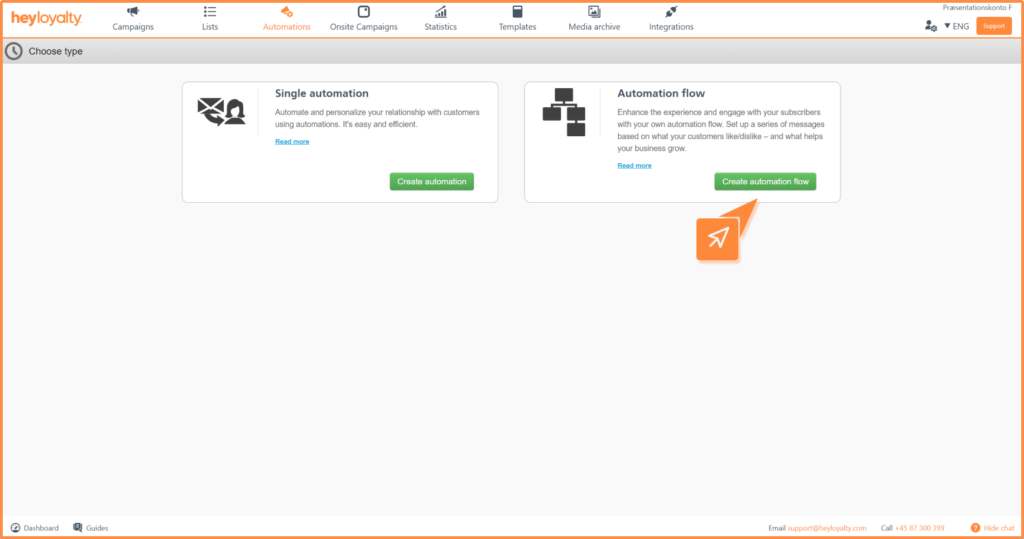
    Set up your birthday flow by clicking on Automations –> Create new automation –> Create automation flow.

    Name your flow and select the list in question.
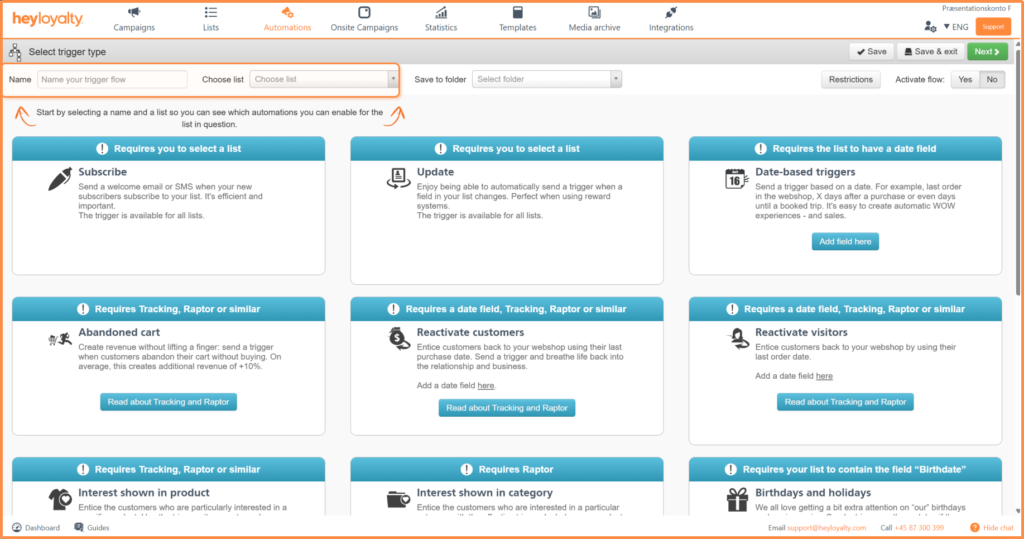
    Select the Birthdays and holidays trigger and click Set Trigger.

    In the following popup, select birthdate as Select date field and Select when depends on what you want to do with the flow.

    Tip: If you want to sell something that the member needs for their birthday, choose Days before and 7 in Select when. That way, you send the email 7 days before the member’s birthday, which is why the member has time to buy something from you and have received it for their birthday. If your goal with the flow is simply to congratulate the member, then you can choose Immediately in Select when. Then the email will be sent during the night leading up to the member’s birthday, so the member wakes up with a birthday greeting in their inbox from you.

    Save settings. Click Next.

    You will now see an empty flow. Start by building your flow by clicking on + and inserting the desired element, which in this case is Email.

    Fill in the information and click Create.

    Choose the desired email template and design your email.

    After you’ve designed your email and saved your flow, you can activate the flow by clicking Inactive in the Status column of your automation dashboard.

    Type Activate in the box and click Activate.


    Hvis du mangler information eller hjælp, som du ikke finder her på guide sitet, er du altid velkommen til at kontakte vores support!
    support@heyloyalty.com / tlf. 87 300 399

    Updated on 4. March 2026
    Was this article helpful?

    Leave a Reply

    Your email address will not be published. Required fields are marked *
