Lists and fields In Heyloyalty, you can create all the lists and fields that you want and/or need.
An email address that appears on several lists will count as one contact for each time it appears. If the same email address is on three different lists, it will count as three contacts in relation to Heyloyalty’s pricing model.
When setting up an integration, the integration can in some cases create extra fields in your integration list. You cannot delete these fields, as it may affect whether the integration works or not.
Create new list (and add fields)
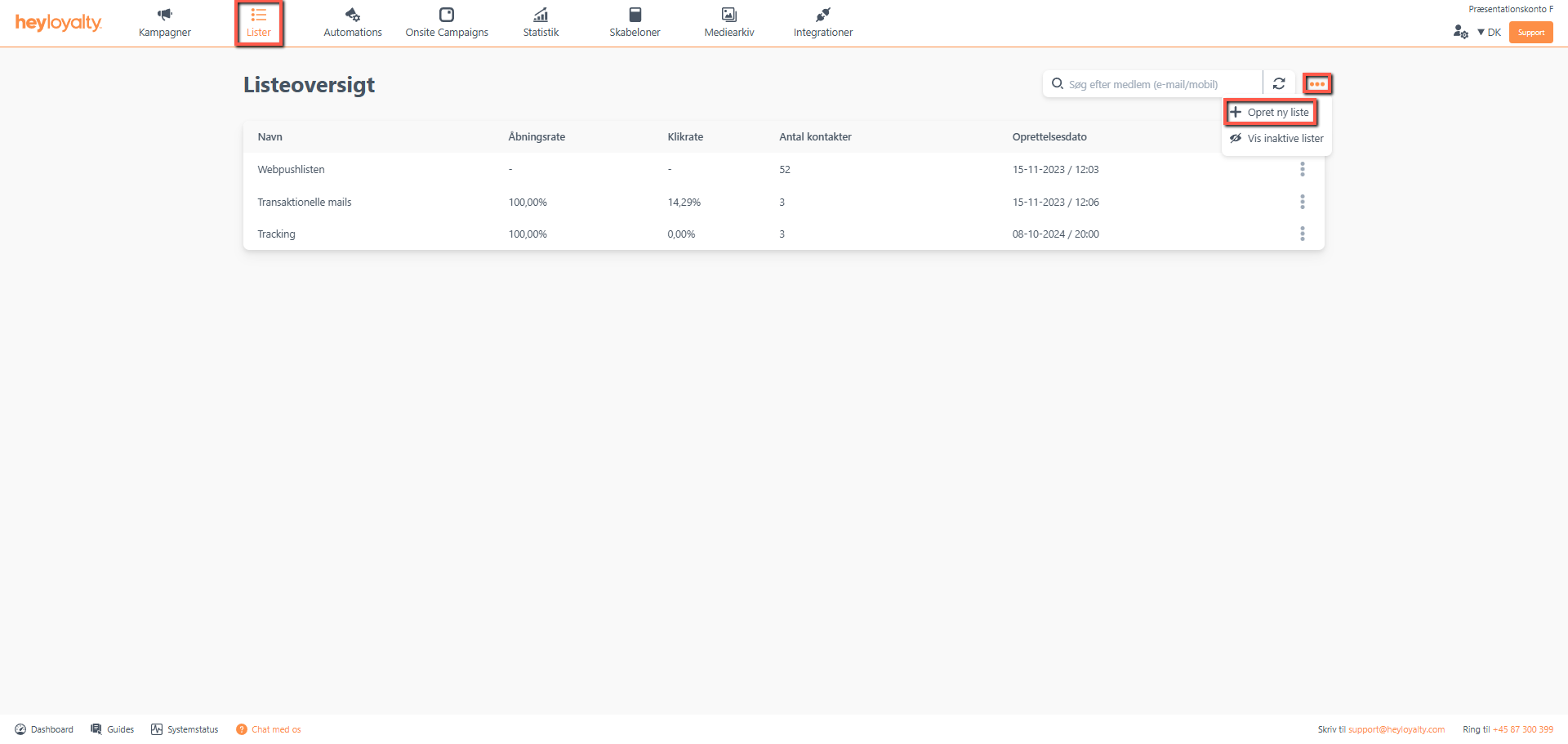
Click Lists –> … –> Create new list.
Fill in the information.
Tip: When you choose a country, it affects whether you want to send SMS’ to the members on the list. When Denmark is selected as the country, Heyloyalty automatically adds +45 to the phone numbers on the list when sending an SMS. You will therefore not be able to send an SMS to a Dutch member, as this phone number will become ‘incorrect’ when +45 is added in front of the number.
In the Double opt-in on the list field, you must consider whether there should be double opt-in on the list or not. If you choose to Activate double opt-in, remember to set up a double opt-in automation so recipients can confirm their registration in a double opt-in message.
Tip: See here how to create a double opt-in automation
Hvis du mangler information eller hjælp, som du ikke finder her på guide sitet, er du altid velkommen til at kontakte vores support! support@heyloyalty.com / tlf. 87 300 399




Leave a Reply