
Setting up Raptor
Setup Raptor by clicking on Integrations –> List integrations –> Raptor –> Setup integration –> Create new Raptor
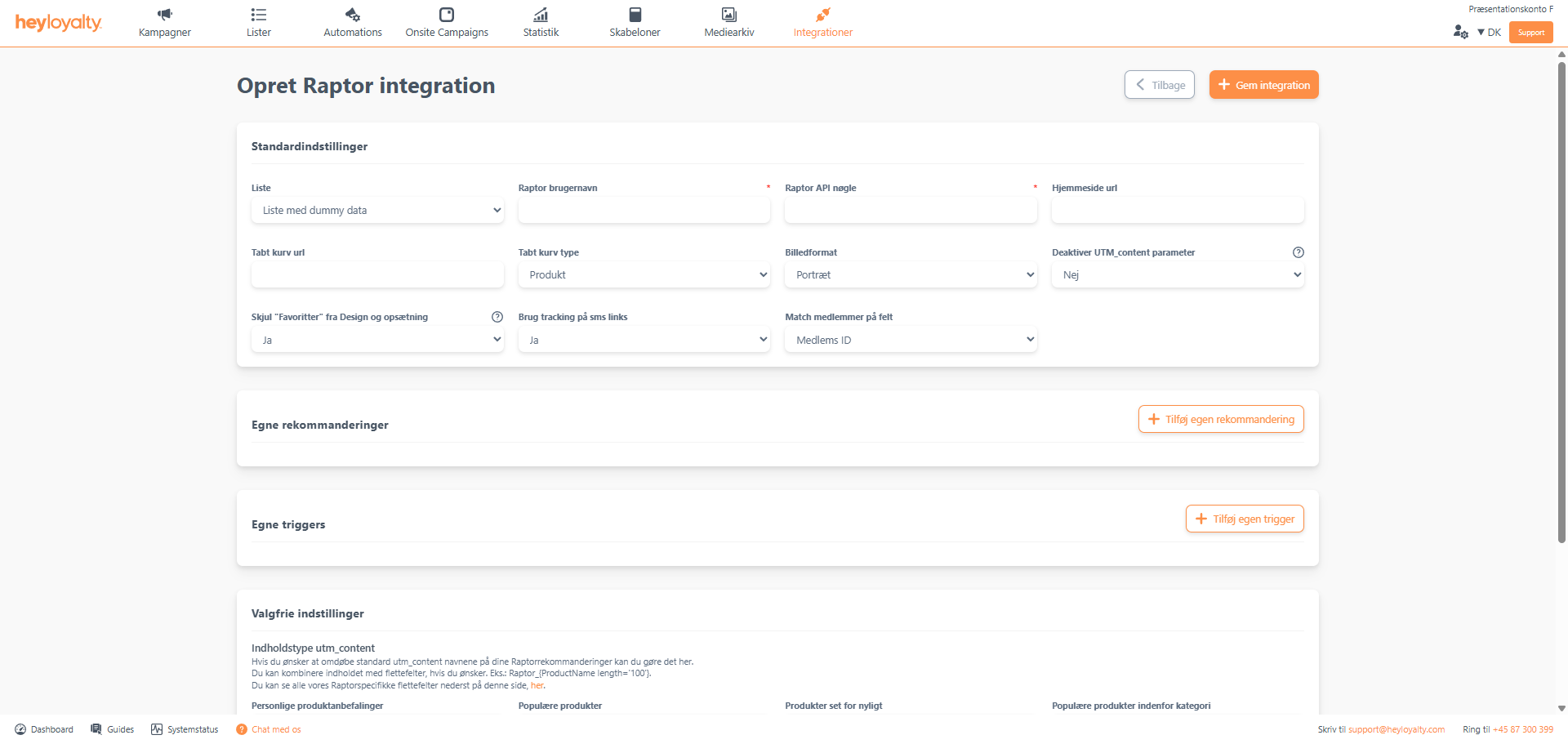
Fill in the fields. Both the Raptor username and Raptor API key can be found by logging into Raptor. You can add Custom recommendations and Custom triggers. Heyloyalty has limited ability to advise on this, as it depends on which recommendations and triggers you want to create and how you set them up. If you have the data available in Raptor, please contact Heyloyalty’s support if you need help.
You should only change the pre-filled fields if you know that the setup on your website and in Raptor is different. For most people, it will work if you leave it as the standard.
Finish with Save integration.

Hvis du mangler information eller hjælp, som du ikke finder her på guide sitet, er du altid velkommen til at kontakte vores support!
support@heyloyalty.com / tlf. 87 300 399


Leave a Reply