Winback visitor: What is it and what does it require?
If you have a Premium license, you have access to our standard package of behavioral triggers for your automations, including winback visitor.
A winback visitor flow sends to members who have previously visited your site but haven’t been on your site for a period of time. If you have either Premium or a Premium+ licence, you can use tracking data to start the flow.
To get the best experience and the most options with your winback visitor flow, make sure you have a product feed as well as tracking on the relevant list. Also note that the visitor must be subscribed to your newsletter and have clicked in a newsletter before your winback visitor flow can be sent to the visitor.
See the guide to setting up a product feed with JSON and XML See the guide to setting up tracking here
Setup of Winback visitor
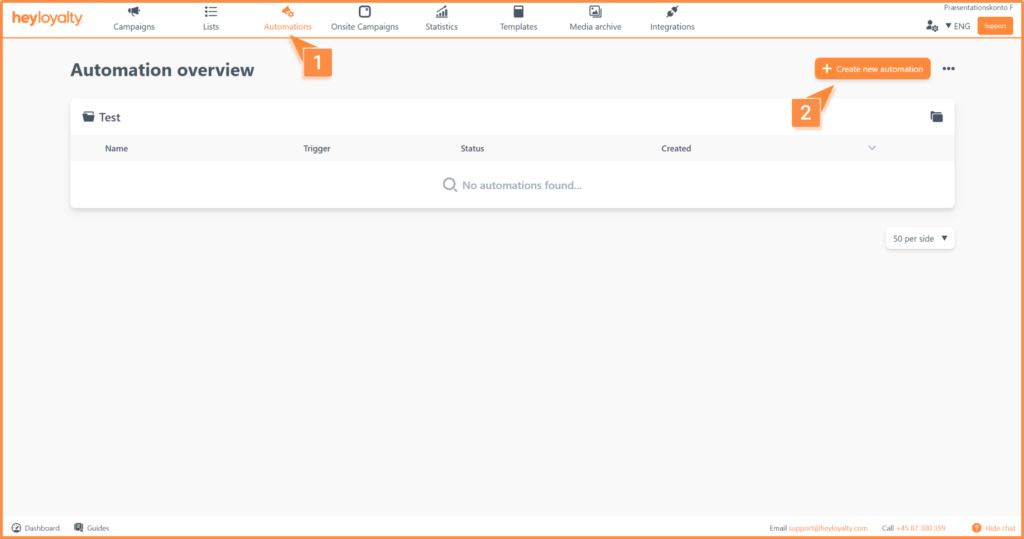
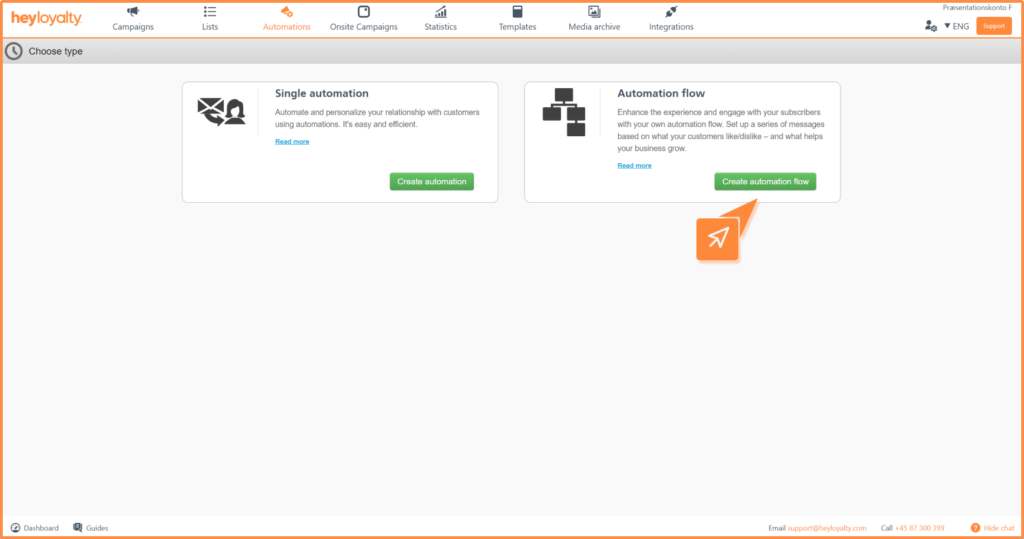
Set up your winback visitor flow by clicking on Automations –> Create new automation –> Create automation flow.
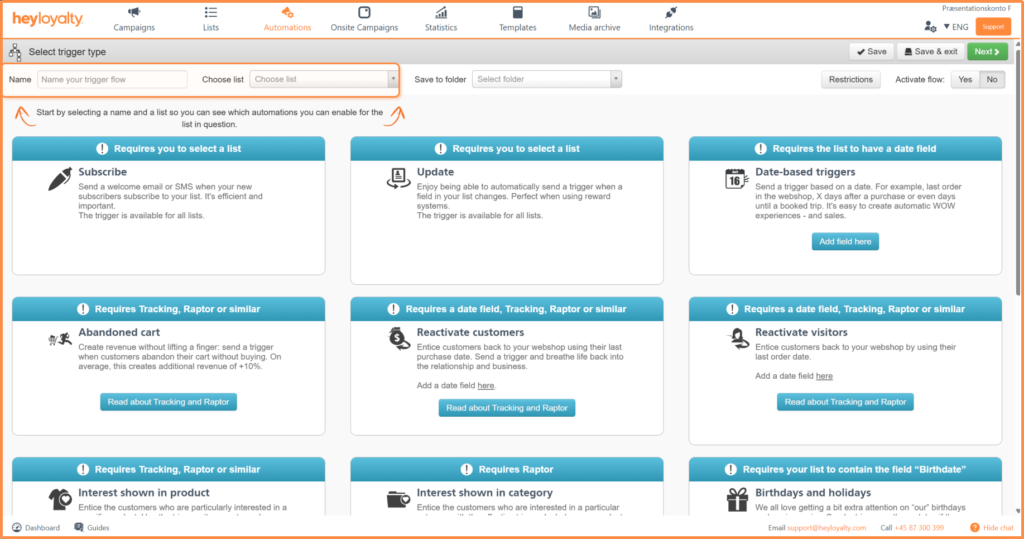
Name your flow and select a list that has tracking set up.
Then select Set trigger by Reactivate visitors.
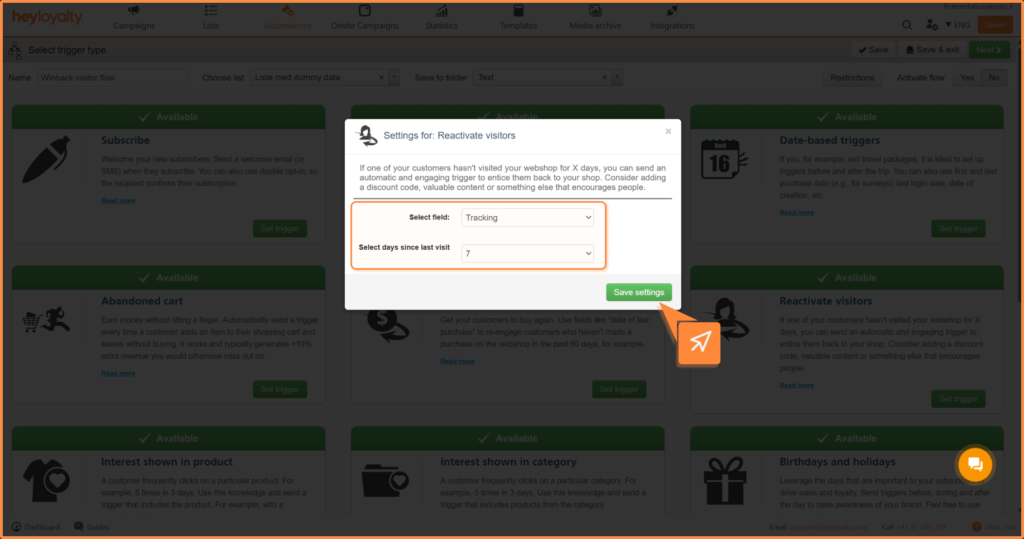
Change Select field to Tracking and choose how many days since the last visit the flow should start.
Tip: If you need the flow to start, for example, 10 days after the last visit to the site, select ‘7’ in the field Select days since last visit and then start the flow with Waiting time and set this to 3 days.
Save settings and click Next.
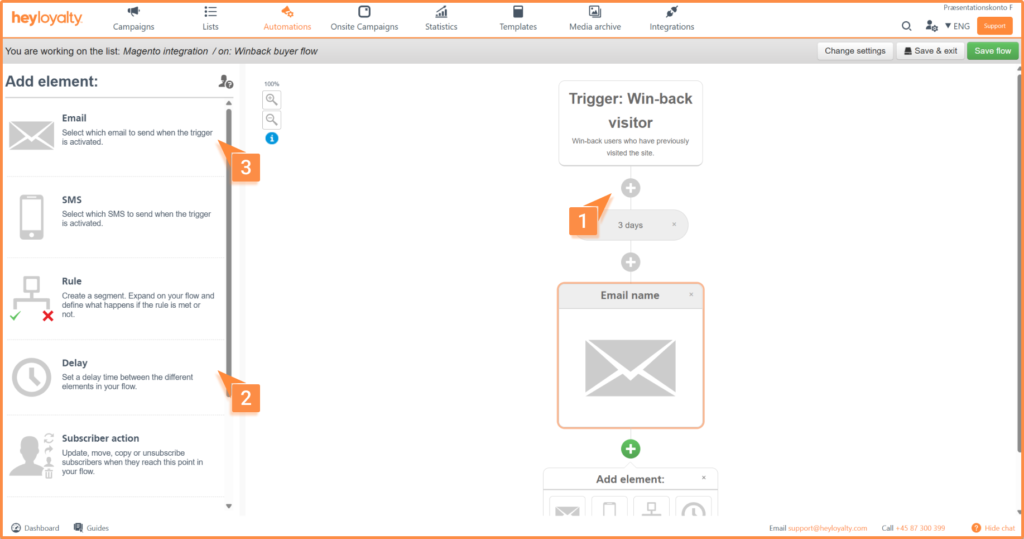
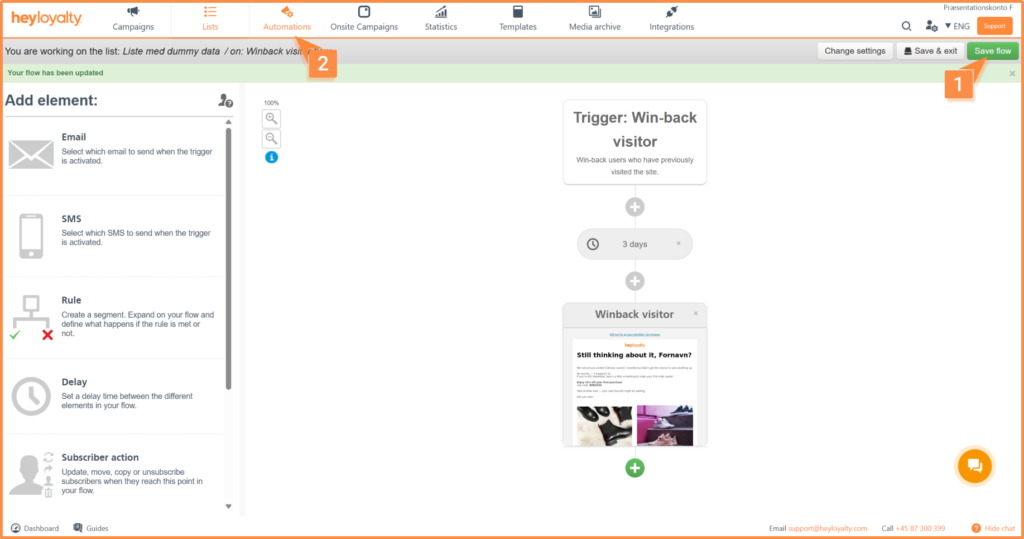
You will now see an empty flow. Start by building your flow by clicking on + and inserting the desired element, which in this case is Email.
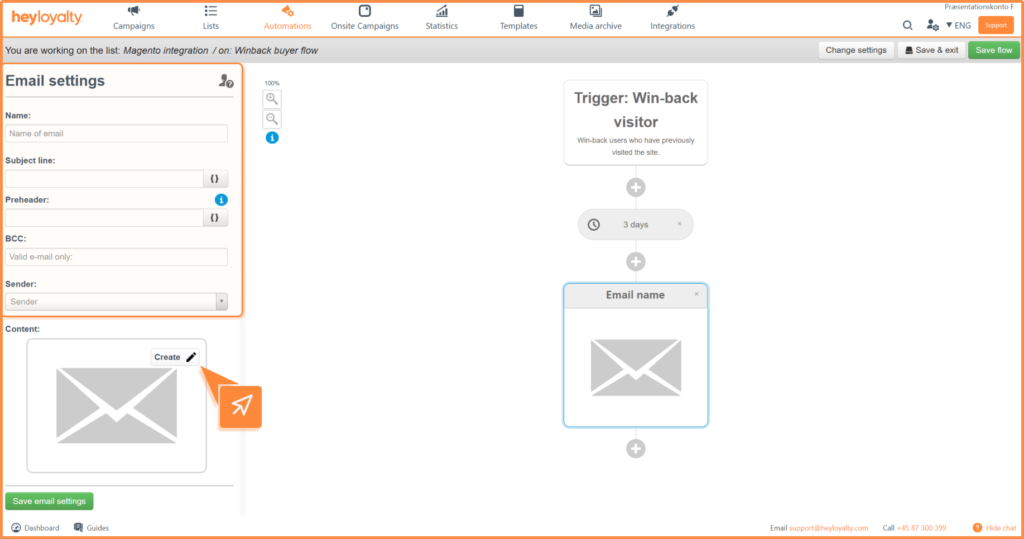
Fill in the information and click Create.
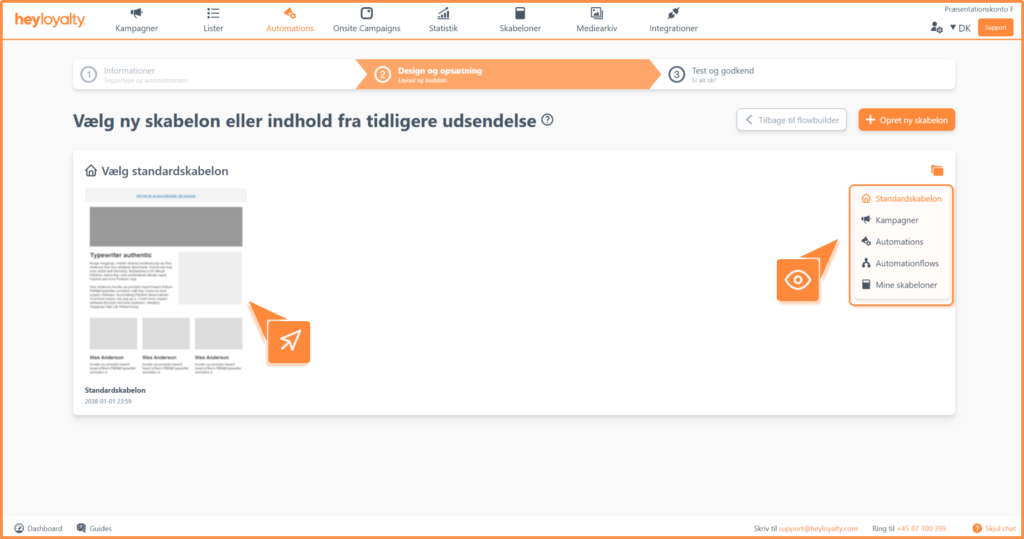
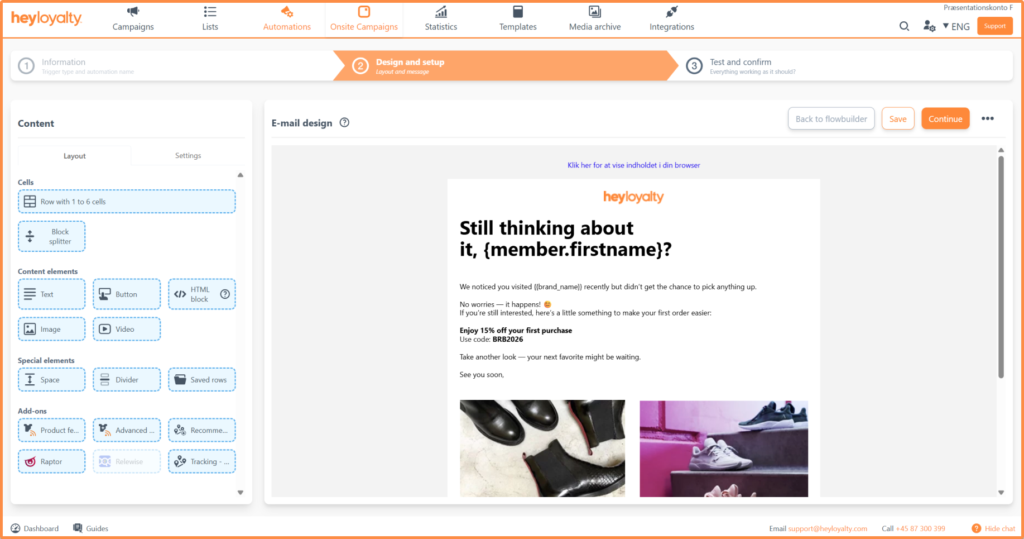
Choose the desired email template and design your email.
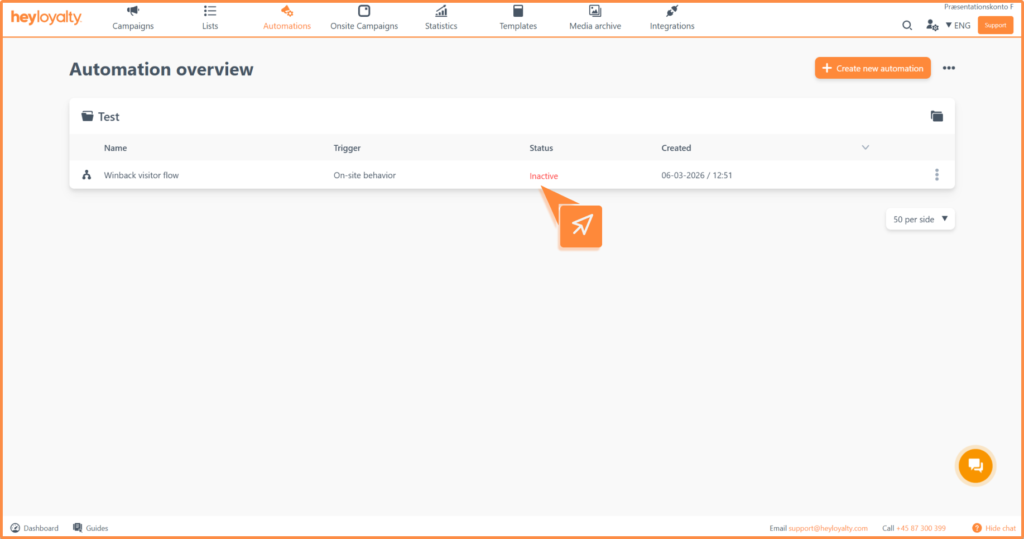
After you’ve designed your email and saved your flow, you can activate the flow by clicking Inactive in the Status column in your automation overview.
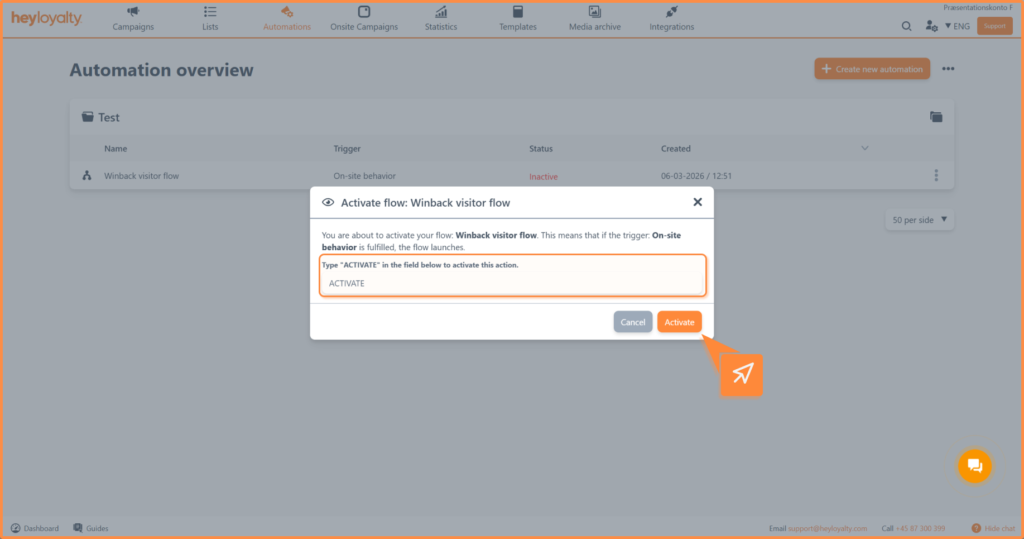
Type Activate in the field and click Activate
Hvis du mangler information eller hjælp, som du ikke finder her på guide sitet, er du altid velkommen til at kontakte vores support! support@heyloyalty.com / tlf. 87 300 399




Leave a Reply